
Updated September 30, 2026
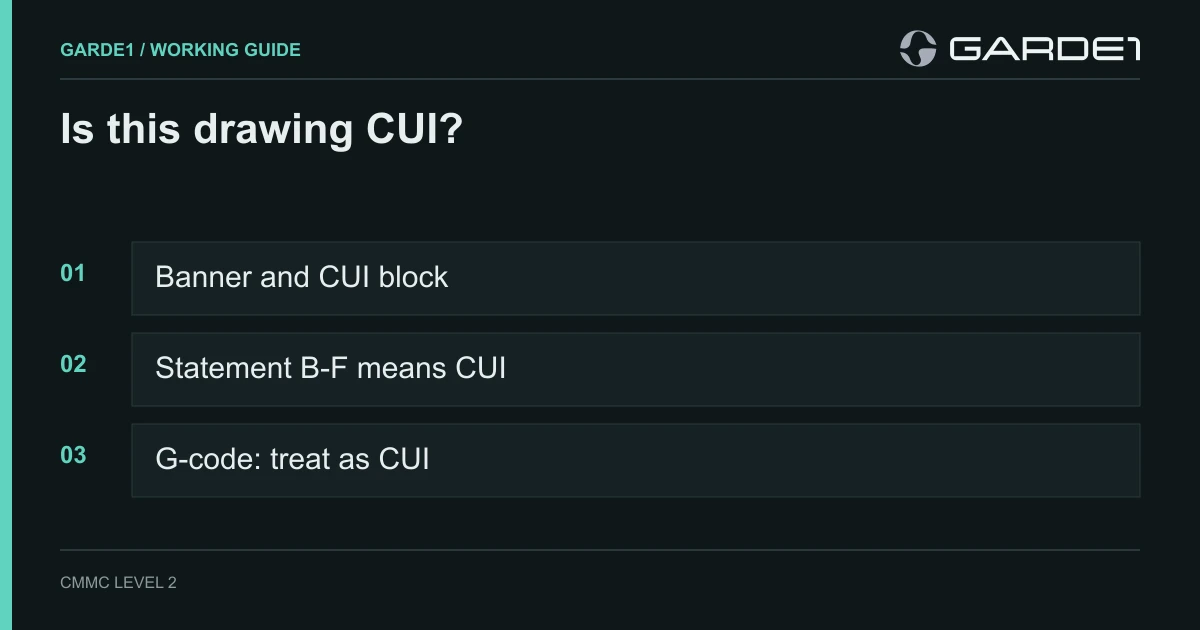
"None marked CUI, but they have a Statement D." A shop owner on r/CMMC put it that way, and it's the question we hear most from shops. If a drawing carries a CUI banner, a CUI block, or distribution statement B, C, D, E or F, treat it as CUI. If it says Statement A, or it's your own commercial part, it isn't. Most prints can be sorted in under a minute. The hard cases are the prints marked too much, the prints marked too little, and the files your shop makes from them.
CUI (controlled unclassified information) is the government's label for sensitive information that isn't classified. On a machine shop's desk it almost always means controlled technical information: drawings, models, specs and data packages for military parts. Whether you hold CUI decides whether you need CMMC Level 2, the 110 security requirements, and which computers and people have to meet them. Guess wrong one way and you spend six figures protecting commercial bracket prints. Guess wrong the other way and your posted score doesn't cover the work.
Where to look on the print
The Pentagon's rules for marking technical drawings are in DoD Instruction 5230.24 (DoDI 5230.24, January 2023) and summarized in DTIC's one-page marking guide (DTIC guide to marking documents). A correctly marked print has four things, in fixed places.
The banner. "CUI" at the top and bottom of every page.
The designation block. A small box at the bottom right of the first sheet, near or inside the title block. It names who controls the drawing, the CUI category (for drawings, almost always "CTI," controlled technical information), the distribution statement letter, and a point of contact with a phone number or email. Keep that contact. It's who you ask when something looks wrong.
The distribution statement. The full sentence sits directly under the designation block. It tells you who may receive the drawing:
| Statement | Who may receive it | Treat it as |
|---|---|---|
| A | Anyone. Approved for public release | Not CUI |
| B | U.S. Government agencies only | CUI |
| C | Government agencies and their contractors | CUI |
| D | DoD and U.S. DoD contractors only | CUI |
| E | DoD Components only | CUI |
| F | Only as the controlling DoD office directs | CUI |
The instruction says it outright: material "marked with Distribution Statement B, C, D, E, or F will be handled" under the Pentagon's CUI procedures in DoDI 5200.48. Statement D is the one most shops see. It lets a DoD contractor receive the drawing to do the job, and nobody else.
The export warning. A paragraph beginning "WARNING - This document contains technical data whose export is restricted by the Arms Export Control Act." That means the drawing is also export-controlled. Only U.S. persons may see it without a license, and that includes your own employees who aren't U.S. citizens or green-card holders. The instruction adds one more gate: export-controlled drawings marked C or D go only to companies with a current DD Form 2345, the Militarily Critical Technical Data Agreement that registers you with the Joint Certification Program. If you receive these regularly and don't have one, get it. If your shop makes parts on the U.S. Munitions List, you likely owe the State Department an ITAR registration too, even if you never export (ITAR registration for a machine shop).
The legacy print that only says "Statement D"
Most drawings in a shop's files predate the CUI program. They have a distribution statement and an export warning, and no CUI banner or block. The DoD instruction deals with this directly: legacy material "will not be required to be remarked" while it stays under DoD control, and B through F material is handled as CUI either way. The Pentagon's 2021 memo on technical data names the exact thing on your desk: a drawing "used in the manufacturing of a DoD weapon system" that shows tolerances (OSD clarifying guidance on CTI, March 2021).
Our position is plain. A Statement D print is CUI, banner or no banner. Re-marking it is the controlling office's job, not yours, but you protect it now.
This is also why a quick search of your file server is worth an hour. Search file contents for "Distribution Statement" and "Arms Export Control Act," not just file names containing "CUI." The results are usually the real size of your CUI problem.
When the print says too much
The opposite complaint is just as real. In its August 2026 letter to the Pentagon, the SBA's Office of Advocacy reported that small businesses said repeatedly that CUI is "overmarked, inconsistently marked, or improperly flowed down" (SBA Office of Advocacy, Aug. 14, 2026). A washer print stamped CUI. A public military spec forwarded under a Statement D cover sheet.
You can push back, and the rule protects you when you do. Under 32 CFR 2002.50, anyone who holds CUI and believes in good faith that it's marked wrong "should notify the disseminating agency." Agencies must answer, must let you challenge anonymously, and may not retaliate (32 CFR 2002.50). In practice you're a subcontractor, so you ask your prime's buyer, and the prime asks the program office. Two rules hold while you wait. Keep protecting the drawing at the marked level until you get an answer in writing. And never remove or cross out a marking yourself; the DoD instruction prohibits tampering with control markings by anyone but the controlling office.
The part on the shelf
The finished part is not CUI. CMMC protects information and the computers that hold it; a bin of machined housings doesn't make your shelving a CUI asset, and nobody assesses your stockroom against 110 requirements.
The part can still be controlled, under a different law. The ITAR's definition of a defense article includes "machined bodies" that have reached the stage where they're "clearly identifiable by mechanical properties, material composition, geometry, or function" as defense articles (22 CFR 120.31). So a finished missile-fin bracket can't go to a foreign buyer or be handed to a foreign visitor for a close look, and you cover it where truck drivers and tour groups walk past. That's export control, handled with shipping rules and visitor escorts, not with a laptop policy.
One exception: if a customer sends you a sample or prototype and asks you to make more like it, the sample carries the design. The 2021 Pentagon memo lists "model, prototype" among the tangible forms technical data can take. Treat that sample the way you treat the drawing.
The files your shop makes
Most of a shop's CUI is created in-house from the customer's drawing. DFARS 252.204-7012, the contract clause behind all of this, covers information "collected, developed, received, transmitted, used, or stored" by you in support of the contract, not just what the customer sends (DFARS 252.204-7012). Here's how we rule on the usual files.
Models (STEP, IGES, Parasolid, native CAD). CUI whenever the drawing is. A STEP file usually carries no marking at all; the marking lives on the drawing or the transmittal that came with it. Store them together and label the folder with the drawing's statement.
CAM files and G-code. This one is genuinely unsettled. Certified professionals give opposite answers, and a shop commenter on r/CMMC argued "the gcode itself is just machine instruction." Our position: treat programs made from a CUI model as CUI, unless your customer tells you in writing they aren't. Two reasons. The clause covers what you develop for the contract, and a program is developed from the drawing. And if the part is ITAR, the ITAR's definition of technical data explicitly includes software "directly related to defense articles" (22 CFR 120.33). The cost of this position is small. The program sitting in the controller's memory is on a machine CMMC treats as a Specialized Asset, documented rather than tested against every requirement. What you protect is the program's storage and the path to the machine (moving programs to old controls).
First-article reports. A first-article inspection report (AS9102 or the customer's form) lists every characteristic with its nominal value and tolerance, and usually attaches a ballooned copy of the drawing. That's the drawing again. CUI.
CMM programs and inspection reports. Same answer when they repeat the drawing's dimensions and tolerances, which they almost always do.
Travelers. It depends on what's clipped to it. A traveler with the part number, operation list, and sign-offs is not CUI. A traveler with a print copy or a page of critical dimensions is. The cheapest fix in the building: stop stapling prints to travelers. Keep the print at the controlled workstation or the machine, and let the traveler carry only the job number, rev, and sign-offs.
Quotes and invoices. Price, quantity, material, lead time and part number are not CUI. Keep screenshots of the drawing out of the quote, and out of the ERP job record, and it stays that way.
Tool: read the title block in one minute
Print this and tape it next to whoever opens incoming prints.
- Banner. Does "CUI" appear at the top or bottom of any sheet? If yes: CUI. Stop here.
- Block. Is there a box at the lower right of sheet 1 with "Controlled by," "CUI Category," and a POC? If yes: CUI. Write the POC on the job folder.
- Statement. Find the words "Distribution Statement." A: public, not CUI. B, C, D, E or F: CUI, even with no banner.
- Export warning. Does it mention the Arms Export Control Act or the Export Control Reform Act? If yes: U.S. persons only, plus CUI. Check that your DD 2345 is current.
- Notes and legends. "Proprietary to [company]" alone is a commercial restriction, not a CUI marking; protect it under your NDA and keep checking.
- Nothing at all? A military part from a defense customer with no marking: ask the buyer (template below) and protect it as CUI until they answer in writing.
- Children. Mark the job: every model, program, FAI, CMM report, and print copy made from this drawing gets the same answer.
Tool: the email to your prime
When a print is unmarked, inconsistent, or looks overmarked, send this to your buyer. Keep the reply in the job folder; it's the answer an assessor will ask to see.
Subject: Marking question on [part number, rev], PO/RFQ [number]
Hi [name],
Before we start work, we need to confirm how to handle the technical data for [part number, rev].
What we received: [drawing sheets / STEP model / spec], dated [date]. What we see: [e.g., "Distribution Statement D, no CUI banner or designation block" / "CUI banner on the drawing, no marking on the model" / "CUI banner on a public MIL-spec"].
Please confirm in writing:
- Is this data CUI? If so, which category and distribution statement apply?
- Is it export-controlled (ITAR or EAR)?
- Does the same answer apply to the 3D model and any programs, inspection reports, or first-article data we create from it?
- Does the PO include DFARS 252.204-7012?
Until we hear back we'll protect all of it as CUI. If you believe the marking is wrong, we'd ask you to raise it with the controlling office named on the drawing, [office / POC if shown].
Thanks, [name, title, CAGE code]
A buyer who never answers has given you the answer: protect it.
If you want to see where these files travel once they're in the building, walk the drawing-to-CNC path. If the question is what happens when a controlled print arrives unasked with an RFQ, that's quoting from CUI drawings. And when a job needs plating or heat treat, here is what to send the outside processor instead of the print.