
Updated September 29, 2026
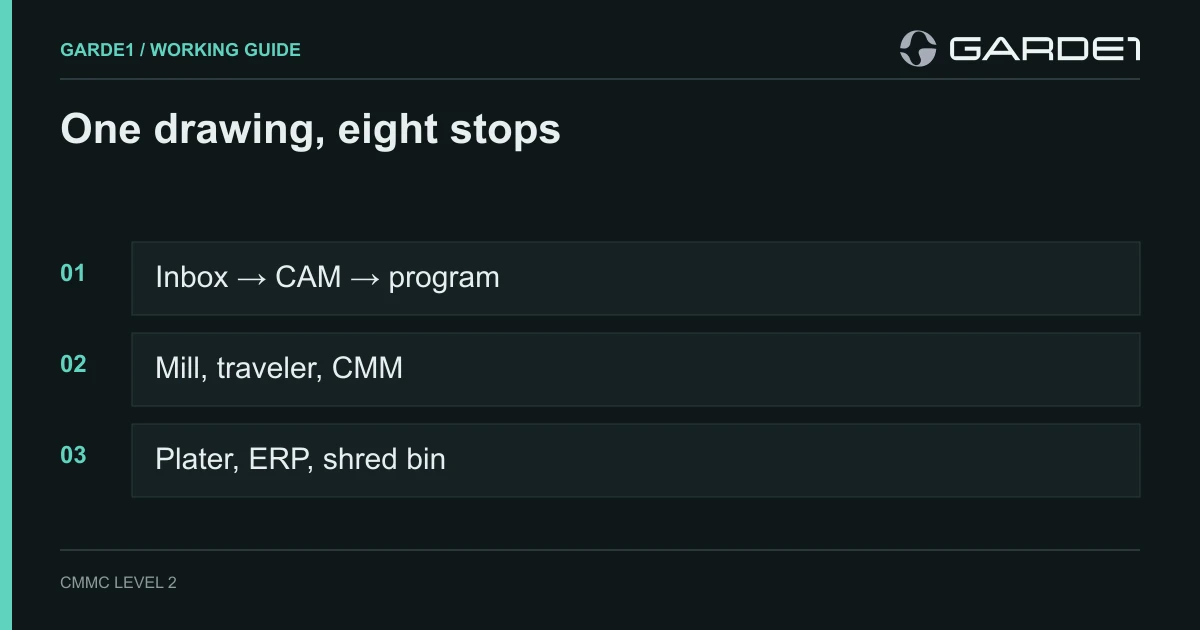
A prime sends you a drawing for a bracket. Somewhere in the title block is a box that says CUI. From that moment until the last printout goes in the shred bin, every place that drawing touches is part of your CMMC scope: the inbox, the programmer's laptop, the CAM file, the machine, the paper traveler, the inspection report, and the plating shop down the road if you send it to them.
That list is shorter than most owners fear, and longer than most first drafts. This guide walks one drawing through a typical 25-person shop, stop by stop, and says what's in scope, what to change, and what it costs to get wrong.
Three terms first. CUI (controlled unclassified information) is the sensitive technical data the government marks for protection; in a machine shop it's almost always the drawings and the models. CMMC is the Pentagon's program for checking that suppliers protect it, and most shops that hold CUI need Level 2: 110 security requirements. Scope is the set of people, computers, machines, and paper that handle the CUI. Everything in scope gets assessed. Everything out of scope doesn't, which is why the scope map matters. Not sure whether your drawings are CUI at all? Read the title block first →
Stop 1: the email
The drawing arrives as a PDF attachment in Outlook. The mailbox, your Microsoft 365 tenant, and every phone that syncs that mailbox are now holding CUI.
Most shop drawings fall under a category called Controlled Technical Information, which the National Archives lists as "CUI Specified," meaning it comes with extra handling rules (NARA: Controlled Technical Information). Microsoft's own compliance team writes that defense CUI Specified categories "undoubtedly require the US Sovereign cloud and are not appropriate for storage within GCC" (Microsoft Tech Community). In plain terms: the regular Microsoft 365 you probably run today is the wrong place for these drawings. That doesn't mean CMMC requires GCC High. The rule only requires that any cloud holding CUI meet FedRAMP Moderate or equivalent (DFARS 252.204-7012). If the drawings will live in Microsoft 365, Microsoft's answer is GCC High, for the people who handle them. If they won't, a separate secure file service or the prime's portal can do the job, and your email stays where it is. Commercial vs. GCC vs. GCC High → Microsoft 365 for a machine shop, and the cheaper routes →
You don't have to move the whole company. The usual shop answer is to put the people who receive, program, and quote from drawings into GCC High, and leave the front office and accounting where they are. The costly mistake is the one in between: the drawing lands in the controlled mailbox, and the estimator forwards it to his regular one to quote. That forward puts the regular mailbox, and his laptop, back in scope. Block external and cross-tenant forwarding in the controlled tenant, and give the estimator a seat inside it instead. What belongs in your Microsoft 365 boundary →
Stop 2: the file share and the programmer's laptop
The programmer saves the PDF and the customer's model to a SharePoint site and opens them in CAD/CAM. Three copies now exist: the site, the laptop's local project folder, and whatever the CAM software writes on its own (autosave files, a recent-files cache, sometimes a crash report it offers to upload to the vendor).
The laptop is a CUI Asset, the most heavily assessed category. It needs everything a Level 2 computer needs: encrypted disk, multi-factor login, managed updates, malware protection, and no local admin rights for the daily user. Watch the software's own copies. One CAD/CAM vendor, Autodesk, says plainly that its cloud product Fusion is not ITAR compliant "even in offline mode" (Autodesk), so a cloud-connected CAM tool can quietly put the model on someone else's servers. A CAD/CAM shop worked end to end → Which shop software can hold a drawing →
If an outside programmer helps on overflow work, either give them a managed device inside your boundary or a virtual desktop that only sends them the screen. A virtual desktop limited to keyboard, video, and mouse keeps their laptop out of scope (32 CFR 170.19). Their personal laptop with a copy of the model is in scope, and you can't manage it.
Stop 3: the program
CAM turns the model into a G-code program for the mill. That program carries the part's geometry. Whether that program is itself CUI is honestly unsettled; certified professionals give opposite answers. Our advice is to treat programs for CUI parts as CUI unless your customer tells you in writing that they aren't. It costs little to protect them and a lot to explain why a copy of the geometry sat on an open share.
In most shops the program travels to the machine one of three ways: a DNC server that feeds programs over the network, a shared folder the controller can reach, or a USB stick. Each route is now a CUI path.
Stop 4: the network and the mill
Here's the stop where most shops lose the most points. In a typical shop, the office PCs, the programmer's laptop, the DNC server, the machine controllers, and the guest Wi-Fi all sit on one flat network. That fails the requirement to control what crosses your network's edges (3.13.1), which is worth 5 points on your 110-point score.
The fix is simpler than it sounds: put the controllers and the DNC server on their own network segment, and allow exactly one route in, from a transfer station or the DNC server, with nothing from the office side. The office scheduler needs the job number and the due date. It doesn't need a route to the mill. The rule table for a segmented CNC cell → Getting programs to old controls, machine by machine →
The controllers themselves are the good news. A CNC controller is operational technology (a programmable device that makes physical things happen), and CMMC treats it as a Specialized Asset. You list it in your inventory, draw it on your network diagram, and describe in your security plan how you protect it. It is not tested against all 110 requirements the way a laptop is (Level 2 Scoping Guide). Where a controller can't be fully secured, the rule allows an Enduring Exception: no fix-it plan required, as long as the reason is written into your security plan (32 CFR 170.4). Nobody expects you to install antivirus on a 2009 Fanuc.
Two things on the shop floor still cost points if you ignore them. First, USB sticks: using removable media without controls fails 3.8.7, another 5 points. Either retire USB transfer or issue numbered, encrypted sticks that only live between the transfer station and the machines. Second, the machine builder's remote support. An always-on remote-access box on the controller fails the requirements for controlling remote access (3.1.12) and for multi-factor login on remote maintenance (3.7.5), each 5 points. Turn remote sessions on when the technician calls, require them to sign in with multi-factor login, and turn them off afterward.
A flat network plus an always-on vendor tunnel is 15 points before anyone looks at a laptop. That's the difference between a passing score and a failing one for a lot of shops.
Stop 5: the traveler and the printer
Someone prints the drawing and clips it to the traveler. The scoping guide counts printing as processing CUI and paper as storing it, so the printer and the paper are both in scope (Level 2 Scoping Guide).
For the printer: put it on the controlled network, and find out whether it keeps a copy on an internal drive, because a leased copier going back to the dealer with 5,000 drawings on its disk is a real and common leak. Wiping media before it leaves your control is 3.8.3, worth 5 points. For the paper: a CUI cover sheet or marked folder on the traveler, a rule about where travelers sit at shift change, and a locked bin for scrap prints that gets cross-cut shredded. Printers, USB, and paper → Shop-floor PCs, shared logins, and phones →
Stop 6: inspection
The part goes to the CMM. The inspection program, and the report it prints, usually repeat the drawing's dimensions. Treat them the way you treat the drawing. The CMM's PC is often old and can't run modern security software. Like the controllers, it's a Specialized Asset (the rule lists test equipment by name), so the same approach applies: isolate it, write down how, and keep a tested spare image. A legacy CMM, documented →
The first-article report and the certs go to the customer. Send them back through the same controlled channel the drawing came in on, not from a personal Gmail because the portal was slow that day.
Stop 7: the outside processor
The part needs anodize, heat treat, or passivation, so it goes to a sub-tier shop. If you send them the drawing, you're passing CUI down the chain, and DFARS 7012, the contract clause behind all of this, requires you to flow its terms down to any subcontractor that receives it (DFARS 252.204-7012). Their inbox and their shop are then in their scope, and they'll need their own CMMC status at the level your contract requires.
The cleaner answer, when the process allows it, is to send the processor only what the process needs: part number, quantity, material, the finish spec, and masking notes on a sketch that isn't the controlled drawing. Most platers don't need your drawing to anodize your part. If one does, send it through a controlled channel and get the flowdown in writing. Which subcontractors belong in your scope → Blind work orders and flowdown for processors →
Stop 8: shipping, the ERP, and the end of the job
The job closes out. Check where the drawing ended up along the way. Many shops attach the drawing PDF to the job in the ERP or quoting system, which makes that system a CUI asset too, along with whoever hosts it. If your ERP is a cloud service, it has to meet the FedRAMP Moderate standard or equivalent before it holds a controlled drawing (What FedRAMP Moderate or equivalent means →). If it can't, keep the drawing out of it and store a job-number link instead.
Then retention and disposal: how long you keep the files (usually what the contract says), where the backups live, and who shreds the paper. Backups hold every drawing you've ever received, so the backup service is a CUI asset in its own right. If it's in the cloud, it needs FedRAMP Moderate or equivalent too, and whoever can restore from it is in scope.
The rest of the shop's questions
The drawing's path is half of it. The other half is the business around it: what this really costs and whether to stay in defense work, quoting from controlled drawings, what your prime's questionnaire actually needs, whether you have to register for ITAR, who in the shop should own this, and the machine shop that paid $421,234 over its score.
The whole path on one page
Print this and walk it with your programmer and your IT person. Anything you can't answer is your first week of work.
| Stop | In scope? | The one thing to check |
|---|---|---|
| Email and Microsoft 365 | Yes, as CUI assets | Drawings live in GCC High, and forwarding out is blocked |
| Programmer laptops | Yes, CUI assets | Encrypted, managed, multi-factor login, no daily admin rights |
| CAD/CAM software | Yes | No cloud sync or crash upload of CUI models |
| Programs and DNC | Yes | Programs stored only on the controlled share or DNC server |
| CNC controllers | Yes, Specialized Assets | Listed, on their own network segment, written up in the security plan |
| USB sticks | Yes | Retired, or numbered and encrypted |
| Machine builder remote access | Yes | Off by default, multi-factor login when on |
| Printers and paper | Yes | Printer on the controlled network, disk wiped, locked scrap bin |
| CMM and inspection PC | Yes, Specialized Assets | Isolated, documented, spare image tested |
| Outside processors | Only if they get the drawing | Send the spec, not the drawing, or flow down 7012 |
| ERP or quoting system | Only if it holds drawings | Keep drawings out, or confirm FedRAMP Moderate |
| Backups | Yes, CUI assets | FedRAMP Moderate if cloud; know who can restore |
| Front office, accounting | No, if drawings can't reach them | Test it: try to open the drawing site from an office PC |
Common questions
Does the whole shop floor have to meet all 110 requirements? No. The machines are Specialized Assets: documented, isolated, and managed under your written policy, not tested requirement by requirement. The computers that feed them are the ones held to all 110.
Can we keep using USB sticks to load programs? You can, if the sticks are controlled: company-owned, encrypted, logged, and used only between the transfer point and the machines. Most shops find a DNC server or a transfer station easier to defend.
Our machines are 15 years old and can't be patched. Are we stuck? No. That's what the Enduring Exception is for. Write down why the controller can't be secured, how it's isolated, and who can reach it. The requirement is honesty and isolation, not new machines.
Do we need GCC High? Not by rule. CMMC requires FedRAMP Moderate or equivalent for any cloud that holds CUI, and GCC High is one way to get there. If your drawings live in email and on your Microsoft 365 file share, GCC High for the people who handle them is Microsoft's answer. If you get a few drawings a year, keeping them out of Microsoft 365 entirely, in a secure file service or the prime's portal, is often cheaper. Moving the whole company to GCC High when only five people touch drawings is the most expensive way to get this wrong.
Is the G-code program CUI? Nobody has settled it; assessors and consultants disagree. It encodes the part's geometry, so treat it as CUI if it came from a CUI model, and get your customer's answer in writing.
How long does it take to get a shop like this ready? It depends on where you start, but the network segment, the tenant move, and the written plan are the long poles. Plan in months, not weeks, and do the tenant move first because everything else sits on it.