
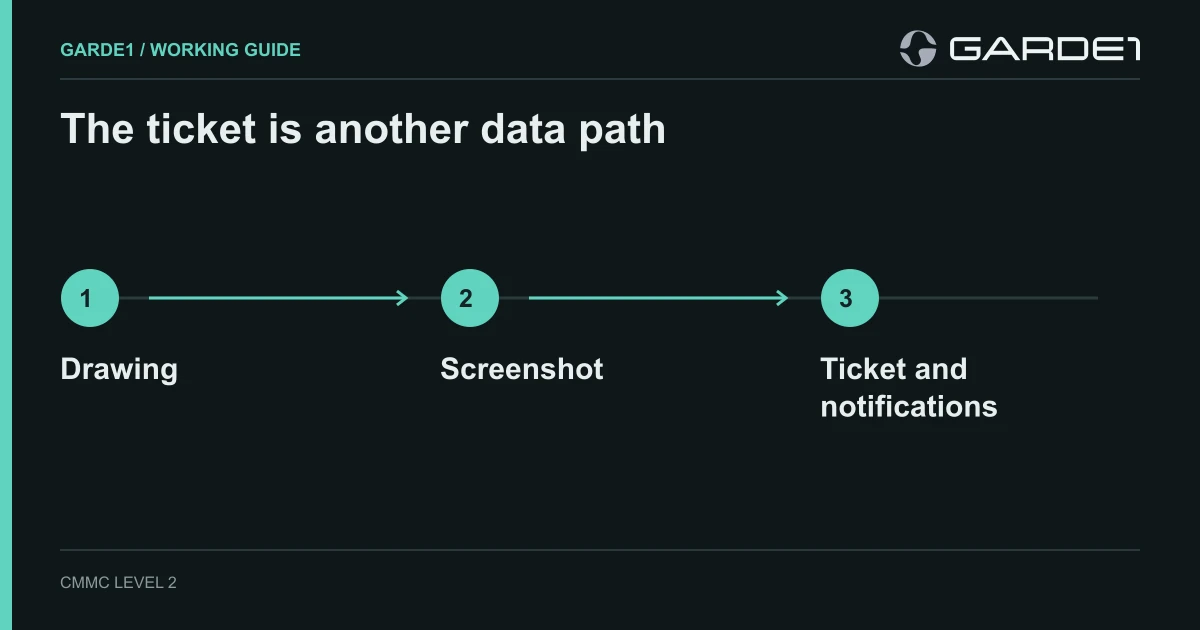
To control CUI in email, file sharing, and support tickets, define the authorized routes, test where copies actually land, and close routes that your organization has not approved. Work from the information's handling requirements and the assessed scope. A sharing policy or an MFA report alone cannot show that information stayed within an authorized route.
This guide addresses digital movement. The companion CMMC media-protection guide covers local storage, printers, paper, and removable drives. Start with FCI versus CUI if classification is unresolved.
Map the route before changing settings
Illustrative example: an engineer receives a controlled drawing through an approved transfer service, opens it on a managed laptop, shares it with an authorized colleague, and asks the MSP to investigate an application error. The support form requests a screenshot. That screenshot, an attachment preview, or a notification email could introduce a new copy outside the intended route.
Write down each source, destination, identity, service, and local storage location. Include sync clients, application caches, mailbox rules, guest access, ticket notifications, and downloads by support personnel. Distinguish confirmed copies from possible copies that need investigation. A boundary is more than a folder: it includes the relevant people, systems, services, and protection responsibilities. See mapping CUI flows.
Use a harmless marker, with an approved test
Create a synthetic document with a unique identifier and no customer information. Agree the test route, participants, destinations, and cleanup with the responsible IT and incident personnel before starting. Do not place real CUI in an unapproved service to demonstrate that a leak is possible.
- Run the synthetic document through the approved workflow, including any support process you have permission to test.
- Search the locations you are authorized to inspect. Record the permissions and filters used, along with locations the search cannot cover.
- Check the ticket attachment, previews, notification emails, and any support download separately.
- Record the observed route, authorized recipients, unexpected destinations, and the responsible owner.
- Remove the synthetic copies according to the agreed test plan and retain the results.
A successful marker test is evidence about the tested path at that time. It does not prove that all routes, users, or historical copies are covered.
Review three common routes
| Route | Decision and implementation | Verification |
|---|---|---|
| Automatic external forwarding | Identify approved business needs and review outbound forwarding policy, mailbox rules, and exceptions | Check effective policy assignment and representative permitted and denied tests; retain the configuration and results |
| File-sharing links | Define authorized recipients, guest arrangements, link types, and expiry or revocation practices appropriate to the information | Review effective site settings and existing permissions; test authorized access and a synthetic unauthorized-access attempt |
| Support screenshots and attachments | Define what the ticket may contain and what approved support access is available | Check the form, notification templates, technician procedure, and the tested handling of a synthetic attachment |
Microsoft documents the configuration choices for external email forwarding and SharePoint external sharing. These are implementation references, not a declaration that a tenant is appropriate for your CUI. Effective behavior depends on policy interactions, assignments, existing permissions, and your environment.
“Only people in your organization” can be a useful restriction for a particular site, but it is not a universal answer for every contractor. Some approved workflows require external recipients. Evaluate those routes, their protection, and provider responsibilities instead of assuming that an internal-only setting completes the work.
Give support a usable intake procedure
The following is illustrative form copy to adapt to your approved process:
Do not attach controlled drawings, specifications, or screenshots showing controlled information. Provide the error code, device identifier, time, and a description that excludes controlled content. If the technician needs access to the information, the designated owner will arrange the approved support method.
Remote viewing is not automatically outside scope. Review technician access, remote-session features, recording, file transfer, clipboard behavior, and provider obligations before approving it.
If real controlled information reaches an unapproved destination, follow the incident-response process. Preserve appropriate records, involve the incident lead, determine reporting and retention obligations, and coordinate containment and removal. Do not quietly delete attachments or logs before those decisions. The synthetic marker-test cleanup is a different process from responding to an actual incident.
Keep evidence that explains coverage and gaps
- An approved flow diagram and a list of authorized destinations and recipients.
- Effective forwarding and sharing configuration, including exceptions and policy assignments.
- Support-provider responsibilities and the approved intake and access procedure.
- Dated test results showing the tested identities, routes, expected behavior, and actual behavior.
- Open issues, remediation changes, and a recheck after those changes.
Requirement 3.1.3 in NIST SP 800-171 Rev. 2 addresses CUI flow control. Use its corresponding objectives in NIST SP 800-171A (June 2018) to check what the evidence supports. Other access, communications, incident-response, and media requirements can also apply; a marker test is not a complete assessment.
Garde1 supports scope, evidence, and mock-assessment work. Check connector coverage for your tools and read an illustrative report. A connector does not automatically discover every copy or prove every permitted route. A mock assessment does not issue CMMC certification.