
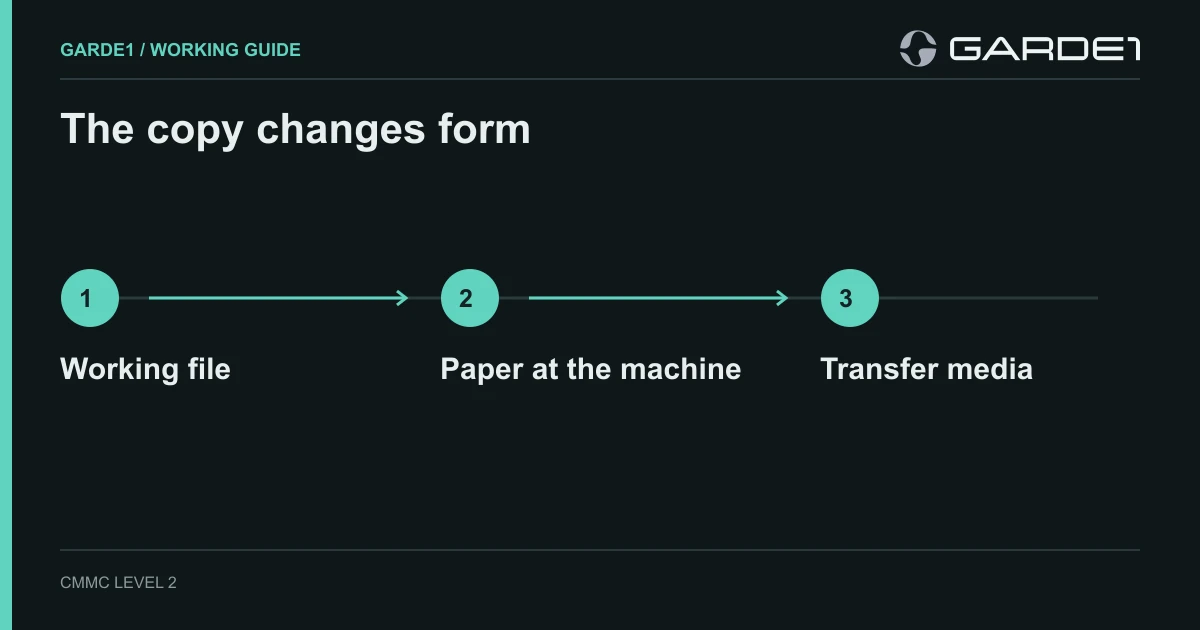
For CMMC media protection, follow the controlled information beyond cloud storage. Identify the laptops, printer storage, paper copies, removable drives, and machine controllers that actually handle CUI. Assign an owner to each, restrict handling, and keep evidence of the protections and disposal decisions. A written prohibition, an encryption setting, or a sign-out sheet addresses only part of that work.
This guide covers physical and removable copies. For email, sharing links, and support attachments, use the CUI information-flow guide. If you are still identifying controlled information, start with FCI versus CUI.
Start with the information and the assessment scope
A proprietary drawing is not automatically CUI. Establish the applicable category, contract requirements, and handling instructions with the information owner. The National Archives' controlled technical information category is a useful starting point for defense technical data; an absent marking should prompt clarification, not an assumption that the information is unrestricted.
These examples use the NIST SP 800-171 Revision 2 requirements referenced by the CMMC Level 2 program. NIST has published newer revisions, so distinguish the version applicable to your assessment from newer implementation guidance. Check the official CMMC program update and your contract before planning a particular assessment route.
Worked example: one drawing moves through the shop
Illustrative scenario, not a customer result: an engineer opens a controlled drawing on ENG-04, prints two copies, and transfers a derived program on USB-03 to CNC-06. The printer may retain a job on internal storage. Whether the derived program is itself CUI must be established; do not assume that every machine program is controlled.
Walk the route with the engineer and IT lead. Check whether the application caches the drawing, whether the printer retains jobs, whether the controller stores the program, and where the two printouts go at shift end. Record confirmed copies separately from locations still being investigated. Do not report an exact copy count until those checks are complete.
| Location | Decision to document | Evidence to collect |
|---|---|---|
| ENG-04 laptop | Who may open the drawing, where local copies reside, and which protections apply | Device identity, effective configuration, authorized access, and a check of the application's storage behavior |
| Printer and its storage | Who collects jobs and how stored data is handled during service or return | Device model and storage details, configured job handling, service instructions, and sanitization records when performed |
| Two paper copies | Permitted use, markings, storage at shift end, and approved destruction | Handling procedure, observed storage arrangements, and destruction records appropriate to the process |
| USB-03 and CNC-06 | Approved transfer route, identifiable owner, applicable information classification, and storage after use | Inventory records, permitted-device settings where available, transfer records, and controller storage checks |
Separate the requirement from the example setting
The following references are in NIST SP 800-171 Rev. 2. They identify requirements to examine; they are not a finding that your implementation satisfies them.
- Protect stored media: 3.8.1 and 3.8.2 address protection of media and limits on access. An assigned owner and locked storage can support a procedure, but their suitability depends on the actual use and access arrangements.
- Mark and transport: check 3.8.4 and 3.8.5 for marking and accountability. Under 3.8.6, cryptographic protection during transport has a physical-safeguard alternative. That does not establish an exception to every other requirement that applies to the laptop, USB drive, or destination system.
- Manage removable media: 3.8.7 addresses controlling its use on system components; 3.8.8 addresses portable storage without an identifiable owner. Whether your organization permits a particular USB transfer is a documented decision, not a universal recommendation to permit USB drives.
- Sanitize before disposal or reuse: 3.8.3 applies. The selected method and verification must suit the medium and information; deleting a file is not a general sanitization procedure.
For a laptop, a policy might specify a 15-minute idle lock, but that is an example organizational setting, not a universal interval stated in Rev. 2 requirement 3.1.10. Check that the approved interval is actually enforced. Similarly, drive encryption does not remove the need to evaluate access, keys, operating state, and other applicable protections.
Personal ownership alone does not decide whether a laptop is outside scope. A virtual desktop design needs review of local storage, downloads, printing, clipboard behavior, administration, and the applicable scoping guidance. See the BYOD and remote-work guide.
Choose and verify a sanitization method
NIST SP 800-88 Rev. 2 provides current guidance for a sanitization program. Select a method appropriate to the information, medium, device capabilities, and proposed reuse or disposal. Record what was done, whether the operation completed as intended, and whether its result is acceptable. Rev. 2 of this sanitization guidance does not change the version of SP 800-171 used in your assessment.
For paper, specify an approved destruction process; the words “cross-cut shredder” do not establish suitability. For flash storage, confirm the chosen technique addresses the device's characteristics. For a leased printer, identify every relevant storage component and agree on the procedure before it leaves your control. A vendor certificate should identify the media, method, date, and verification information; a generic assurance that the printer was “wiped” leaves important questions unanswered.
Do not erase a production controller or USB drive simply because a checklist says “wipe after use.” Coordinate retention, operational safety, backups, and the approved process first. When a selected operation fails or cannot be verified, document the exception and retain control of the medium while the responsible person decides the next action.
Use the inventory and checklist
Download the blank CMMC media inventory CSV and open the printable media-handling checklist. Both are ungated. Their fields are organizational aids, not government-prescribed forms or proof that a requirement is satisfied. Keep actual CUI out of filenames and descriptions in a broadly accessible inventory.
Illustrative entry: USB-03; portable flash drive; engineering lead; approved transfer between ENG-04 and CNC-06; locked cabinet when idle; method awaiting IT approval. Leave the completion and verification fields blank until work actually occurs. “Approved,” “completed,” and “verified” describe different events and should not be combined into one yes/no cell.
What a useful evidence package contains
- The approved handling and sanitization procedures, with responsibilities and permitted routes.
- An inventory reconciled against the devices and storage locations actually observed.
- Configuration evidence and operating records that cover the relevant devices and people.
- Completed sanitization records, verification results, and unresolved exceptions where applicable.
- A check that actual practice matches the written rules, including paper left at machines and removable media in use.
A sign-out log supports accountability. It cannot, by itself, establish encryption, marking, effective device restrictions, or successful sanitization. Use the applicable objectives in NIST SP 800-171A (June 2018) to identify what the evidence must support. See how to build useful CMMC evidence for a worked record.
Garde1 supports readiness and mock-assessment work. Review an illustrative mock report and the published connector coverage and release status before assuming a tool collects a particular printer, controller, or paper-handling record. Manual operating evidence may still be needed. A mock result is not certification.