
Updated September 30, 2026
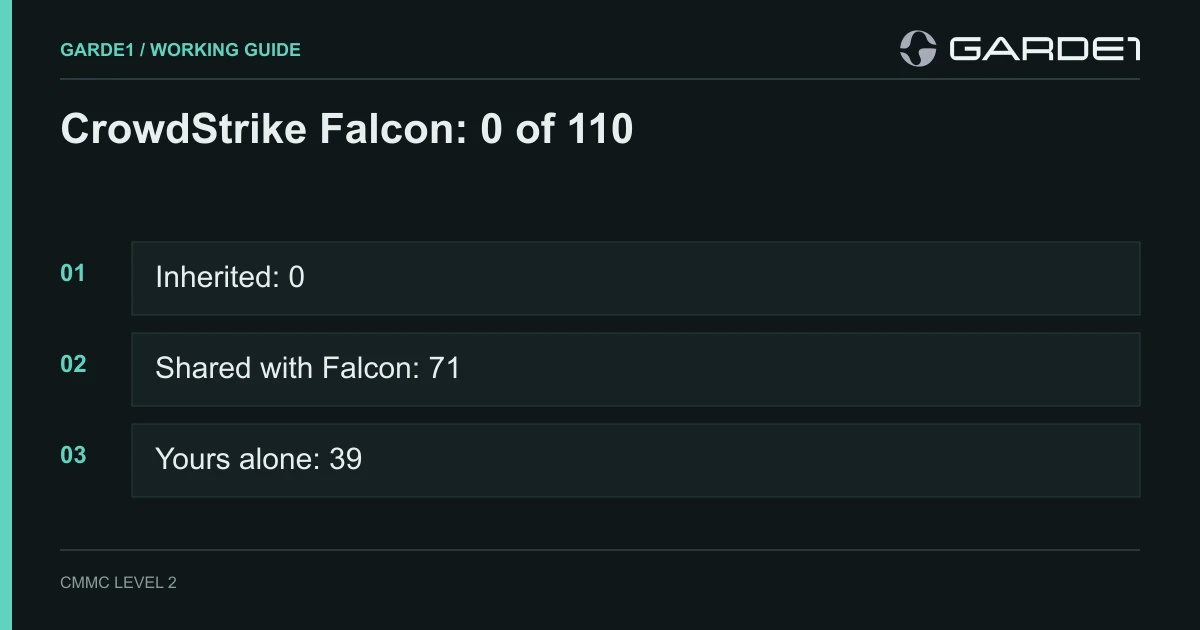
CrowdStrike Falcon fully covers none of the 110 CMMC Level 2 requirements. It helps with 71, and the other 39 get nothing from it. That comes from the CMMC white paper CrowdStrike paid Coalfire to write. The 71 assumes you bought every module Coalfire reviewed, and most small shops own far fewer.
CMMC Level 2 is the Pentagon's list of 110 security requirements for any company that holds CUI (controlled unclassified information: the drawings, specs, and technical data the government marks as sensitive). When a reseller says Falcon "covers 71 CMMC controls," they mean it gives you a tool for 71 of them. You still set up, run, and prove every one. That isn't a knock on CrowdStrike. It's what a security tool is.
Why the inherited number is zero
With Microsoft 365 GCC High, Google Workspace, PreVeil, or AWS GovCloud, some requirements really do move off your plate. Those companies run the data centers where your CUI lives. They guard the doors, patch the servers, and encrypt the disks, and you point your assessor at their paperwork. That's what "inherited" means. (Our guide to the Customer Responsibility Matrix explains the three labels.)
Falcon doesn't hold your CUI. It's a program on each computer (the "sensor") plus a cloud console where the alerts, logs, and settings end up. CMMC has a name for that: a Security Protection Asset, meaning anything that does security work for the systems holding CUI. The rule, 32 CFR 170.19, puts Security Protection Assets inside your assessment. You list them in your asset inventory, show them in your System Security Plan (SSP) and network diagram, and they're assessed against the Level 2 requirements "relevant to the capabilities provided."
The same section has a table for outside services. A cloud provider that holds only security data, like the logs and settings Falcon keeps, is "in the OSA's assessment scope" and is assessed as a Security Protection Asset. (OSA is the rule's word for your company.) Section 170.4 defines that security data as configuration data, log files, vulnerability data, and passwords.
Put simply: the assessor examines Falcon as part of your system. You don't hand them a CrowdStrike letter. You show them your console.
The count, from CrowdStrike's own document
The source is CrowdStrike Falcon Platform Applicability for CMMC, marked "Coalfire Opinion Series, Final v2.1, August 2025." Coalfire reviewed the "CrowdStrike Falcon platform for Government, which is FedRAMP High authorized" (page 5), 27 modules in all, tested in a virtual lab. It put each requirement in one of three buckets (page 6):
- Meets: Falcon "can provide a direct means to support the requirement presuming proper configuration, enrollment, and additional customer responsibilities."
- Supports: Falcon features help with work you do.
- Not applicable: Falcon "provides no support," and you find another way.
Even "Meets" presumes your configuration and your extra work, so in CMMC terms all 71 are shared. The paper says so itself: customers "may not solely rely on" Falcon "for compliance with the entirety of a CMMC domain requirement" (page 6).
| What the requirement needs from you | Level 2 count |
|---|---|
| Inherited: CrowdStrike does it, you point to their proof | 0 |
| Shared: Falcon does the technical part, you set it up and prove it ("Meets") | 22 |
| Shared: Falcon gives you a tool for part of it ("Supports") | 49 |
| Yours alone: Falcon plays no part ("Not applicable") | 39 |
Here's how that breaks down by family, from Table 2 on page 10:
| Family | Inherited | Falcon meets | Falcon supports | Yours alone |
|---|---|---|---|---|
| AC: who can log in, and to what | 0 | 5 | 12 | 5 |
| AT: security training | 0 | 0 | 2 | 1 |
| AU: audit logs | 0 | 5 | 3 | 1 |
| CM: settings and software control | 0 | 2 | 5 | 2 |
| IA: passwords and multi-factor login | 0 | 1 | 5 | 5 |
| IR: incident response | 0 | 0 | 3 | 0 |
| MA: maintenance | 0 | 1 | 3 | 2 |
| MP: USB drives, paper, backups | 0 | 2 | 1 | 6 |
| PE: physical security | 0 | 0 | 0 | 6 |
| PS: personnel screening | 0 | 0 | 0 | 2 |
| RA: risk assessment and scanning | 0 | 0 | 3 | 0 |
| CA: security assessment and your SSP | 0 | 0 | 3 | 1 |
| SC: network and encryption | 0 | 0 | 8 | 8 |
| SI: malware and system monitoring | 0 | 6 | 1 | 0 |
| Total | 0 | 22 | 49 | 39 |
Coalfire names the four families where Falcon helps most: access control, audit logs, configuration, and system integrity (page 3). The table agrees. Six of the seven SI requirements are "Meets." SC is the reverse: of 16, Falcon only supports half.
Your license decides your count
The 71 assumes all 27 modules. Here's what CrowdStrike's price list sells a small business. Falcon Go ($59.99 per device per year) is antivirus, USB device control, and mobile protection. Falcon Pro adds firewall management. Falcon Enterprise ($184.99) adds detection and response, the module called Insight XDR. Identity Protection, Spotlight (vulnerability scanning), Discover (asset and account inventory), and Next-Gen SIEM (log search and correlation) are extras.
Those extras carry most of the weight. In Coalfire's appendix, Insight XDR and Identity Protection show up on dozens of requirements between them. Without Identity Protection you lose most of what Falcon offers for login, MFA, and privileged accounts. Without Spotlight you get nothing toward vulnerability scanning. On Falcon Go, the "Meets" list shrinks to about eight: the malware requirements, USB and removable-media control, mobile device connections, and scanning media brought in for maintenance.
Here's what we'd do: price your CMMC plan against the Falcon SKUs you actually own. Mark every other row as yours.
The eight rows people get wrong
These are shared rows where contractors assume Falcon has it handled. For each, here's what's still yours.
Malware protection (3.14.2, 3.14.4, 3.14.5). Falcon Prevent is the "Meets" here. You still install the sensor on every in-scope Windows, Mac, and Linux machine, servers included. On Macs, pair it with a management tool that proves the settings stuck. Set the prevention policy to block, not just detect. Keep a monthly screenshot comparing the console's host count to your asset inventory. The machine the assessor finds without a sensor is the finding. Requirement 3.14.5 also asks for periodic scans, so write in your SSP how those happen.
Audit logs (3.3.1, 3.3.2). Insight XDR records what runs on each endpoint. It doesn't record your Microsoft 365 or Google sign-ins, your firewall, or your file server's access logs unless you pay to feed them into Next-Gen SIEM. You decide which events to log and how long to keep them, write that in your audit policy, and show that the retention matches.
Least privilege and admin accounts (3.1.5, 3.1.6, 3.1.7). Identity Protection and Discover find the admin accounts, including local admins on every PC. They don't remove them. That's your job, and so is keeping a list of who holds admin rights and why.
Multi-factor login (3.5.3). Coalfire rates this "Supports." Identity Protection can require MFA through your Active Directory policies, but the MFA itself comes from Entra, Duo, or Okta. If you don't run on-premises Active Directory, Identity Protection adds little here.
Vulnerability scanning (3.11.2, 3.11.3). Spotlight finds missing patches on machines with a sensor. Firewalls, switches, printers, and the CNC controller have no sensor, so Spotlight never sees them. Scan those with another tool. Deciding how many days you allow to fix a critical finding, and meeting that deadline, is yours.
USB and removable media (3.8.7, 3.8.8). Device Control is "Meets," but only once a policy is set to Enforced. Monitor mode only records what would have been blocked. The paper also notes that the policies "are applied to endpoints, not users," so any exception you grant covers everyone on that machine.
Incident response and reporting (3.6.1, 3.6.2). Falcon detects the attack, and Falcon Complete can contain it for you. Neither one reports it to DoD. DFARS 252.204-7012 gives you 72 hours to report through DC3, which requires a medium-assurance certificate, and 90 days to keep images and data. Your incident plan names who files the report. Our small-business incident guide has the steps.
The Falcon console itself. Because Falcon is a Security Protection Asset, the assessor checks who can log into the console. Put MFA on every console account, give admin roles to two or three named people, and keep that list. Appendix B of the paper lists 17 requirements where the platform's own features (role-based access, session timeouts, hashed passwords) help secure the console. Turning them on is your job.
What Falcon has nothing to do with
The 39 "Not applicable" rows are all yours:
- Physical security (all 6): door locks, visitor logs, escorts, and the alternate work site.
- People (both personnel rows): background screening before access, and cutting access when someone leaves.
- Most media handling (6 of 9): paper CUI, marking, sanitizing drives before disposal, carrying media offsite, and backups.
- Encryption: CUI in transit (3.13.8) and at rest (3.13.16), key management, and encrypting CUI on phones. Use BitLocker, FileVault, and FIPS-validated VPNs. Falcon helps with none of these.
- Password and identifier rules: reusing old usernames (3.5.5), password reuse limits, temporary passwords, hashing, and masked entry (3.5.8 to 3.5.11).
- Network design: the separate network segment (3.13.5), split tunneling, ending idle network sessions, VoIP, session authenticity, encrypting remote access (3.1.13), and wireless (3.1.16, 3.1.17).
- Other rows: screen lock, the time source for logs, analyzing the security impact of changes, restricting who can make changes, controlling maintenance tools, wiping equipment before it goes out for repair, role-based security awareness (3.2.1), and writing the SSP (3.12.4).
Coalfire also says it didn't review "organizational processes, training documents, procedures" (page 4). Your 14 policies and your SSP don't appear anywhere in the 71.
Commercial Falcon or Falcon for Government?
The FedRAMP Marketplace lists one CrowdStrike offering: "CrowdStrike Falcon Platform for Government," FedRAMP Authorized at High, authorized in March 2025. CrowdStrike's Department of War page says its separate Gov-2 environment holds a DoD Impact Level 5 provisional authorization. The commercial Falcon cloud isn't on the Marketplace.
Does that matter? DFARS 7012's FedRAMP Moderate requirement applies to cloud services that store CUI. Falcon is built to store security data, not documents. But an endpoint sensor reports what it sees on the machine, and that telemetry typically includes command lines, file names, and file paths. CrowdStrike's own privacy notice for one of its Falcon products lists those fields (CrowdStrike); ask your reseller for the equivalent statement under your enterprise agreement. Real Time Response can also copy a whole file from a machine up to CrowdStrike's cloud with its get command (CrowdStrike's PSFalcon docs).
Our rule: commercial Falcon is fine as a Security Protection Asset if your file names don't carry CUI and your responders never get files off CUI machines. If your folder names include program names or export-controlled part descriptions, or your MSP pulls files during investigations, buy Falcon for Government. Either way, write down which cloud you're on in your SSP.
Common questions
Does CrowdStrike publish a CMMC Customer Responsibility Matrix? No. Its Trust Center offers a general "Falcon Platform Shared Responsibility Model," FedRAMP High documentation, and SOC and ISO reports. The Coalfire white paper is its CMMC document. The rule expects an outside provider's service description and CRM to show who does what (170.19(c)(2)(ii)), so keep the white paper and the Shared Responsibility Model on file and let your SSP say the rest.
CrowdStrike's website says 80 controls. Which number is right? The compliance page says Falcon supports "80 of 110." The August 2025 white paper, which lists every requirement, counts 71. Use 71, and cite the paper's table.
Is CrowdStrike FedRAMP authorized for CMMC? Falcon Platform for Government is FedRAMP High. Falcon doesn't need FedRAMP to be used in a CMMC environment, because it's assessed as part of your system, not as a place where CUI is stored. See the section above for when the Government cloud is worth it.
Does Falcon count as an External Service Provider? Yes. The Falcon cloud holds your security data, and 170.19's table treats a cloud provider holding security data as in your scope, assessed as a Security Protection Asset. List CrowdStrike, and any MSP or Falcon Complete team running it for you, in your SSP with what each one does.
Can Falcon replace my SIEM for CMMC logging? Only for what you feed it. Insight XDR logs your endpoints. Correlating across systems (3.3.5, "Meets") means your identity, email, and firewall logs have to land there too, and Next-Gen SIEM is the module that takes them in.