
Updated September 30, 2026
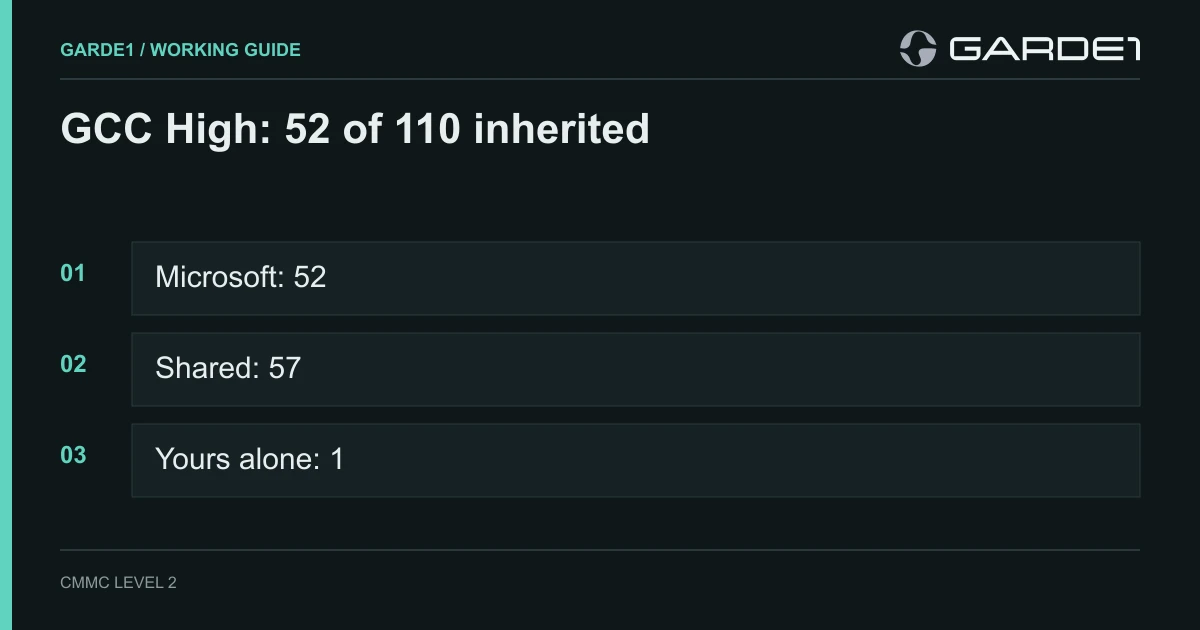
Microsoft 365 GCC High fully covers 52 of the 110 CMMC Level 2 requirements. You share 57 with Microsoft and own 1 outright. Those numbers come from Microsoft's own spreadsheet, and Microsoft publishes no matching count for GCC or for Commercial Microsoft 365.
A few terms first. CMMC Level 2 is the Pentagon's set of 110 security requirements for any company that holds CUI (controlled unclassified information: the drawings, specs, and technical data the government marks as sensitive). "Covers" is marketing language. The spreadsheet sorts each requirement three ways: Microsoft does all of it (inherited), you both do part of it (shared), or you do all of it (customer). Only the inherited 52 come off your plate, and only for the part of each requirement that lives inside Microsoft's cloud.
Where the number comes from
The source is the Microsoft Product Placemat for CMMC, a macro-enabled Excel workbook at aka.ms/cmmc/productplacemat. The public download is version 2.0 Preview, file dated September 2024, published October 17, 2024 (Microsoft Download Center). Microsoft calls it "a sample resource only" and notes that it "is not a CMMC accrediting body."
The workbook grades every requirement in two columns. One is labeled Azure. The other is labeled GCC High, which covers Microsoft 365 GCC High and Azure Government, the isolated US cloud it runs on. The workbook's own summary for the GCC High column reads 52 "Microsoft Coverage," 57 "Shared Coverage," 1 "Customer Responsibility," 0 not applicable. We counted all 110 rows ourselves and got the same numbers.
| Microsoft cloud | Microsoft does it | Shared | You do it | What Microsoft publishes |
|---|---|---|---|---|
| GCC High | 52 | 57 | 1 | Placemat GCC High column |
| GCC | no count | no count | no count | No column in the placemat |
| Commercial Microsoft 365 | no count | no count | no count | No column. Microsoft positions it for Level 1 only |
| Azure (for comparison) | 6 | 76 | 28 | Placemat Azure column |
One newer data point: Secureframe reviewed a June 2025 copy of the placemat that Microsoft shared privately, and reports 52 inherited, 58 shared, and 0 customer for GCC High (Secureframe). The one customer-only row became shared. That copy isn't on the public download page, so cite the public version in your paperwork.
Why GCC and Commercial have no number
The placemat's instructions say it is "Microsoft cloud-agnostic" and "founded on Microsoft Azure." It scores Azure and the US sovereign cloud (Microsoft's term for Azure Government and GCC High, run by screened US persons on US soil), and nothing in between. If someone shows you a GCC count, ask where it came from, because it didn't come from this file.
Commercial Microsoft 365 isn't a CUI option at all by Microsoft's own description. Its CMMC page says the enterprise commercial service "supports organizations in meeting CMMC Level 1 requirements," while GCC High "supports organizations in meeting CMMC Level 2 and Level 3 requirements (when configured appropriately)" and is the only Microsoft 365 cloud on that page listed for ITAR (Microsoft and CMMC).
What moves when you go from Azure to GCC High
The two columns show what the sovereign cloud buys. Of the 110 requirements, 47 shift toward Microsoft in the GCC High column: 33 go from shared to inherited, 14 from customer to inherited, and 13 from customer to shared. The placemat explains why. Sovereign clouds "have controls in place for restricting access to only screened US persons with data processing and storage only within the Continental United States."
You can see it in the rows. Personnel screening (3.9.1) is yours alone in Azure and shared in GCC High, because Microsoft now screens the people who run the service. All six maintenance requirements (3.7.1 through 3.7.6) become inherited, because only screened US staff maintain the hardware. Incident handling (3.6.1 and 3.6.3), most media protection, and the configuration-baseline requirements (3.4.1 through 3.4.6) move from yours to Microsoft's for the cloud side. One row goes the other way: FIPS-validated encryption (3.13.11) is inherited in Azure and shared in GCC High.
The per-family count for GCC High
For the IT person or MSP mapping this into the SSP (system security plan, the document an assessor reads first):
| Family | Inherited | Shared | Customer |
|---|---|---|---|
| AC Access Control | 3 | 19 | 0 |
| AT Awareness and Training | 0 | 3 | 0 |
| AU Audit and Accountability | 1 | 8 | 0 |
| CM Configuration Management | 8 | 0 | 1 |
| IA Identification and Authentication | 1 | 10 | 0 |
| IR Incident Response | 3 | 0 | 0 |
| MA Maintenance | 6 | 0 | 0 |
| MP Media Protection | 8 | 1 | 0 |
| PE Physical Protection | 6 | 0 | 0 |
| PS Personnel Security | 0 | 2 | 0 |
| RA Risk Assessment | 1 | 2 | 0 |
| CA Security Assessment | 4 | 0 | 0 |
| SC System and Communications Protection | 10 | 6 | 0 |
| SI System and Information Integrity | 1 | 6 | 0 |
| Total | 52 | 57 | 1 |
What "inherited" actually buys you
Look at the physical-protection row: all 6 inherited. The placemat's explanation for badge access and visitor control is one line: "Microsoft Coverage for cloud-based services." Microsoft guards its data centers. Your front door, the drawing on the inspection bench, and the visitor log at reception are still yours. The same holds for the 8 inherited media-protection rows (Microsoft wipes its own disks, not your USB sticks) and the 8 inherited configuration rows (Microsoft baselines its servers, not your laptops).
So an assessor still checks every one of those requirements on your side of the line. Inheritance only takes the cloud's slice off the table, and only if three things are true. The data sits in GCC High, not a Commercial mailbox beside it. You've configured the tenant the way Microsoft's guidance describes. And your SSP names the placemat as the source for each inherited row, so the assessor can see where the claim comes from. We covered how to read those rows in shared vs. inherited.
The seven rows people get wrong
These are the shared and customer rows where "we're on GCC High" gets offered as the answer and isn't one.
Software allowlisting (3.4.8), yours alone. The only customer row. Decide which programs may run on every CUI laptop and block the rest, with Intune pushing App Control for Business or AppLocker rules.
Multi-factor login (3.5.3), shared. Microsoft supplies Entra MFA. You turn it on with a Conditional Access policy that covers every user and every admin, with no "trusted office" exception, and then you prove that no account is left out.
FIPS encryption (3.13.11), shared. Microsoft's cloud modules are validated. Your laptops aren't until you set it: BitLocker on every device, with the Windows FIPS policy enabled.
Audit logs (3.3.1), shared. Purview Audit is on by default and keeps records for 180 days (Microsoft Purview auditing). If your log policy says a year, you need Audit (Premium) retention policies or an export to storage you control.
Personnel screening (3.9.1), shared. Microsoft screens its staff. You still check your own hires before they get a CUI login, and you keep the record.
Training (3.2.1 to 3.2.3), shared. Microsoft gives you tools and Learn content. You run the annual security training and the insider-threat session, and you keep attendance.
Malware protection (3.14.2), shared. Defender for Endpoint only protects the machines it's installed on. Onboard every CUI laptop through Intune and check the device list against the people who hold CUI. The same goes if you run CrowdStrike instead, and its inherited count is zero.
Coverage depends on the license you bought
The placemat assumes you've turned on Microsoft's security stack. Its license filter lists Microsoft 365 E3 and E5, the E5 Security and Compliance add-ons, Enterprise Mobility + Security E3 and E5, and the F1, F3, and F5 frontline plans. The G3 and G5 plans are their government counterparts. By our count of the workbook's filter, E3 switches on a primary Microsoft service for 77 of the 110 requirements and E5 for 85, because E5 adds Defender for Endpoint, Defender for Identity, Defender for Cloud Apps, Privileged Identity Management, and more of Purview. On a thinner license, several shared rows become rows you fill with some other product.
So "GCC High covers 52" is really "GCC High, licensed and configured the way the placemat assumes, covers 52 on Microsoft's side." Business Premium for GCC High arrived after this workbook; our Commercial, GCC, or GCC High guide covers that license and the Defender and Purview add-ons Microsoft pairs with it.
So should the number decide GCC vs. GCC High?
No. Your data decides it, and the count follows. No CMMC rule names a Microsoft product. The contract clause behind CMMC, DFARS 252.204-7012, requires any cloud holding CUI to meet FedRAMP Moderate or its equivalent (DFARS 252.204-7012, paragraph (b)(2)(ii)(D)). GCC meets that.
Our rule stays the same as in our other Microsoft guides. If you hold technical drawings (the CUI category called CTI, controlled technical information) or ITAR data, use GCC High. It's the only Microsoft 365 cloud where Microsoft commits to ITAR. For other CUI, GCC is enough. The 52 is a bonus of that choice, not a reason for it. For a shop sizing seats, the machine shop GCC High decision gives the headcount rule.
Common questions
Is GCC High CMMC compliant? No product is. Companies get certified, clouds don't. Microsoft says GCC High supports Level 2 "when configured appropriately," and that compliance "depends on customer configuration, implementation, and operational controls." The cloud takes 52 requirements off your side. The other 58 are your settings and your people.
Where is Microsoft 365's CMMC shared responsibility matrix? For CMMC, Microsoft's answer is the Product Placemat for CMMC: an Excel workbook that grades all 110 Level 2 requirements for Azure and GCC High, with Microsoft's implementation statements behind each row. Download it from aka.ms/cmmc/productplacemat. For deeper per-control guidance, Microsoft pairs it with the Technical Reference Guide for CMMC 2.0.
How many controls does Microsoft cover for CMMC? In GCC High, 52 fully and 57 in part, out of 110. If a figure near 86 shows up, that's a different measure: how many requirements a Microsoft product can help with once you license and configure it, not how many Microsoft does for you. Against the same yardstick, Google Workspace's figure is 42, PreVeil's is 37, and AWS GovCloud's is 21.
GCC vs. GCC High: how many CMMC controls differ? Microsoft doesn't say. It scores GCC High and Azure, not GCC. What it does document is what GCC lacks: Microsoft says GCC "isn't suitable to hold CUI Specified (for example, ITAR, Nuclear, and so on)," because that data needs the US sovereignty only GCC High offers.
Do this next
- Download the placemat and save the file, with its version and date, in your SSP evidence folder.
- Walk the 52 inherited rows and write one line for each saying what's still yours on the ground: the door, the laptops, the USB drives.
- Assign an owner and a due date to the 58 rows that are yours, starting with the seven above.
- Check your license against the placemat's filter. If you're on E3 or G3, list the rows you'll fill with another product.