
Updated September 29, 2026
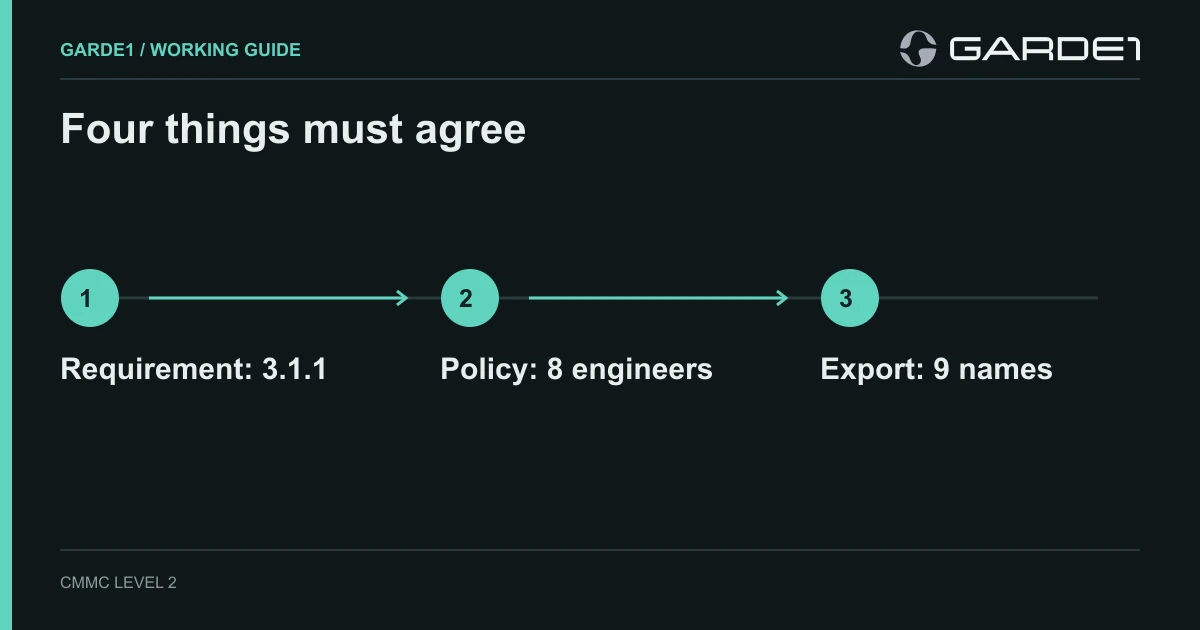
Most owners meet CMMC (the Defense Department's cybersecurity program for its suppliers) as a stack of documents and a list of 110 security requirements, and nobody explains how one relates to the other. Every requirement is checked the same way. The assessor, the outside examiner who decides whether you pass, reads what the requirement demands, reads what your policy says you do, looks at the system that does it, and asks for the record showing it happened. If all four agree, the requirement is met. If any one disagrees, it isn't, however good the other three are.
That's the whole game, and it's why companies that paid a consultant for a finished policy binder still fail. The binder covers one of the four. Each unmet requirement costs points on the score your customers and the government look at, and enough of them cost you the contract.
One requirement, start to finish
The 110 requirements come from a government standard called NIST SP 800-171. Take the first one: only the people you've approved can get into your systems. (Its number is 3.1.1.) An official assessment guide breaks each requirement into small yes-or-no checks, and the first check here is plain: you know who your approved people are (NIST SP 800-171A, 3.1.1[a]). The assessor wants a list of the people who are supposed to have access, and proof that the system matches it.
Say your company keeps engineering drawings in a SharePoint site, Microsoft's shared-files service. Your access policy says engineering files are open only to engineers the engineering manager has approved. The procedure under it, meaning the step-by-step how, says the manager approves each request in a ticket, IT adds the person to a group called ENG-CUI, and the manager checks that group every quarter. The SharePoint site lets that group in and nobody else.
The evidence is whatever proves each step: the approval tickets, the group's member list, the site's sharing settings, and the last quarterly check with a date and the manager's name on it. The member list is the most useful single file for this requirement, and IT can pull it in two minutes. (In the Microsoft Entra admin center, where Microsoft 365 users and groups live: Groups, then the group, then Members, then Download members. Microsoft's steps.)
Where it usually breaks
Now the Monday morning version. The manager has approved eight engineers. The downloaded list has nine names. The ninth is a contractor whose project ended in March, and nobody told IT.
Your policy is fine. The system doesn't match it, so the first requirement is not met. Neither is the one that says access ends when someone leaves or changes jobs (800-171A, 3.9.2[b]). One stale account, two failures.
The fix is operational. Remove the contractor from the group through a ticket, download the member list again, and save both files. Then find out why offboarding missed a contractor. Usually contractors never went through HR, so the exit checklist never fired. Add them to it. Leave the policy alone. Rewording a correct policy to cover a mistake is how small gaps turn into findings about your whole program.
The opposite failure is just as common. A company buys a good security tool, turns on alerts, and nobody reads them. The setting exists, but there's no procedure, no owner, and no record. An assessor will ask who reviewed last month's alerts and what they did about them. "The tool handles it" doesn't answer that. Even where a vendor does own part of a requirement, its customer responsibility matrix spells out which part is still yours.
What makes a record count
A record counts when it covers everyone and everything it's supposed to, falls inside the period being assessed, and shows up as often as your procedure says. A screenshot of one laptop's settings says nothing about the other eleven. A quarterly review needs four records in a year. An export from last week beats a screenshot from last year every time. More on evidence that holds up →
One document ties it all together: the System Security Plan, or SSP. For each of the 110 requirements it says where the requirement applies and how you meet it. It's the first thing an assessor reads.
To try this yourself, pick your most sensitive shared folder and give it an hour this week. Find the policy sentence about who gets in, name the person who approves access, have IT download the member list, and compare the two. If they match, you've produced your first piece of assessment evidence. If they don't, you've found a problem before an assessor did.
Garde1 does this comparison for every requirement. It writes the SSP and policies from your scope, pulls member lists and settings from Microsoft 365 or Google Workspace, and runs a mock assessment that flags every place where the four stop agreeing.