
Updated September 29, 2026
The old Windows 7 PC that runs your measuring machine doesn't have to fail your CMMC assessment. Write it up as test equipment, cut it off from everything it doesn't need, and keep a tested spare on the shelf. Get that right and the assessor doesn't score it against the full list of security requirements.
Some background. CMMC is DoD's program for checking that suppliers protect CUI (controlled unclassified information: the drawings, specs, and technical data the government marks as sensitive). At Level 2, most computers that touch CUI must meet 110 security requirements, including current patches and antivirus. A Windows 7 PC can meet neither, and neither can the Windows XP controls on older CNC machines. Scored like an office laptop, it would fail a long string of requirements, and replacing the machine it runs would cost far more than the assessment.
The rule has a category for exactly this. Test equipment is one kind of "Specialized Asset" in 32 CFR 170.19. At Level 2 you list these assets in your inventory, your System Security Plan (the SSP, the document describing your systems), and your network diagram, and you show how you manage their risk. They aren't assessed against the other security requirements.
The lab
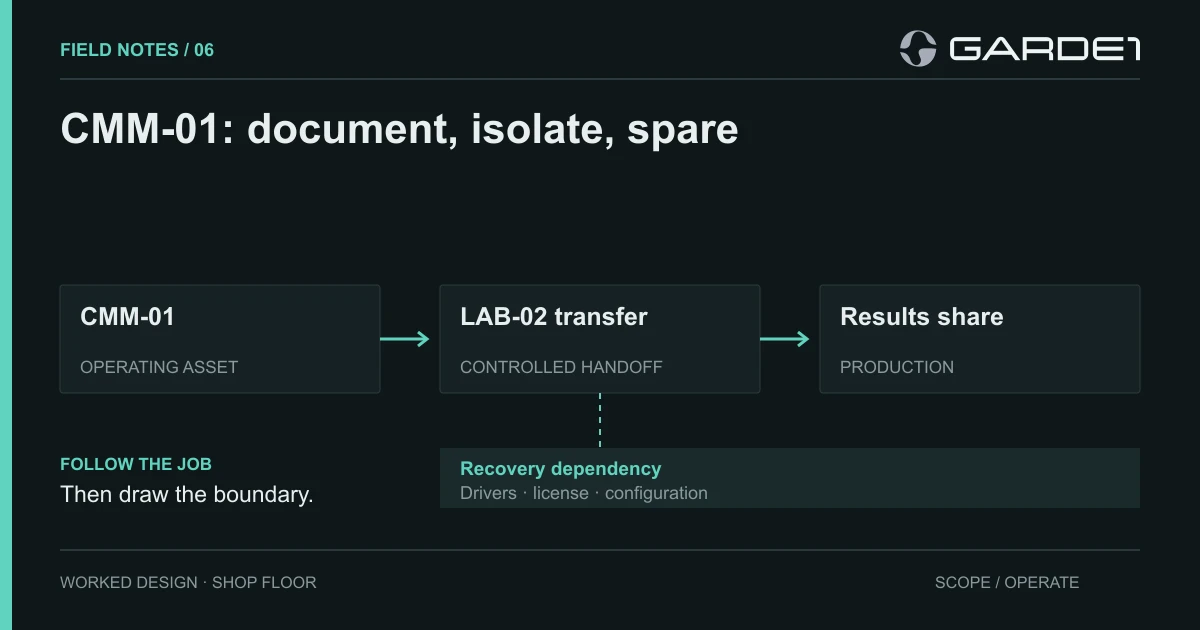
The machine here is CMM-01, a coordinate measuring machine in a four-person quality lab: it measures finished parts against the drawing. Its controller PC runs Windows 7, the vendor's measurement software, and a USB license key. The vendor won't support a newer operating system or any security software on it. CMM-01 measures parts made from CUI drawings and writes an inspection report for each one.
Next to it sits LAB-02, a Windows 11 PC the techs use to email those reports. LAB-02 is an ordinary CUI computer and gets the full set of requirements, bench or no bench. Labs that label the whole room "specialized" usually lose that argument at the first question, and the gap they were hiding behind the label is usually LAB-02.
The entry we'd put in the SSP
Most of the work is writing one paragraph and making every sentence in it true. In plain terms it says: this PC can only talk to the machine and to one folder; it can't reach the internet; the vendor gets in only when the quality manager opens a timed session for a specific repair; and a copy of the PC gets restored and tested every quarter. Written for the assessor, it reads:
CMM-01: Specialized Asset (test equipment). Windows 7 with vendor measurement software, vendor-locked; no endpoint agent supported. Connected to the machine by direct cable. No internet route: blocked at switch port Gi1/0/14, Wi-Fi adapter removed. Inspection reports pulled one-way by LAB-02 from a single read-only share. Vendor access by a timed, MFA-protected session through the maintenance gateway, opened per ticket by the quality manager. USB restricted to the license dongle. Spare image restored and verified quarterly. Owner: quality manager. Review when the vendor issues a support notice or the hardware changes.
Every claim in that entry is something an assessor can go and look at: the network switch setting, the missing Wi-Fi card, the folder permissions, the log of vendor sessions, the last drill record. A binder page titled "compensating controls" gives them nothing to look at. The vendor-session rules come from the CNC field note, and the same gateway serves both.
Before you write "no internet route," open the cabinet and look for the vendor's dial-up modem. They still turn up. Make the network changes during scheduled downtime and with the equipment owner in the room; NIST SP 800-82r3, the federal guide to securing industrial and lab systems, explains why.
The restore drill
A spare PC on a shelf isn't a recovery plan if nobody can reinstall the software, move the license, or get the calibration back. If CMM-01 dies with no working spare, inspection stops and parts don't ship. Keep these together in one labeled bin: a disk image of CMM-01 taken after the last vendor visit, the installer and driver versions, a printout of the configuration and calibration settings, the license transfer procedure with the vendor's phone number, and a spare PC of the same model.
Once a quarter, during scheduled downtime, restore the image to the spare and connect it to the machine. Then measure the lab's reference part, the certified master it uses to check accuracy. The drill passes when the measurements match that part's certificate within the lab's usual tolerance and the report lands on LAB-02. A restored Windows desktop that can't see the machine is a failed drill. So is a license that won't move.
The first time this lab ran the drill, the license transfer needed a code from the vendor. The vendor's support contract had lapsed eight months earlier. Nobody knew, because purchasing held the contract and quality held the machine. Now the quality manager owns the whole bin, including the renewal date.
For the room itself, see the physical workspace guide. For the other asset categories, see the scope guide.