
Updated September 29, 2026
Your company runs on Gmail and Drive, half the team uses Chromebooks, and someone has told you CMMC means moving to Microsoft. It doesn't. Google Workspace can hold CUI for CMMC Level 2, but only on one of two routes, and you have to choose one.
CUI (Controlled Unclassified Information) is what the government marks as sensitive: for most small suppliers, the drawings, specs, and technical data that arrive from a prime. CMMC Level 2 is the 110-requirement standard for any company that holds it. Your email and file-sharing system is where most of that CUI lives, so it's the first thing an assessor looks at.
Route one: CUI lives in Workspace. Google's CMMC configuration guide covers Workspace Enterprise Plus with the Assured Controls Plus add-on and nothing else, so that's what you buy. Route two: CUI never enters Gmail or Drive. It lives in a separate virtual desktop (or, for some small shops, a separate encrypted mail-and-file service like PreVeil), and Workspace carries only ordinary business. Google's CMMC guide (Feb 2025)
We'd pick route one if more than a handful of people touch controlled files every day. Route two works for a shop where two engineers do the CUI work and everyone else sells and ships. Either way, write the choice in one sentence before you buy anything. Everything below depends on it.
(The July 2026 pause didn't change this. What the pause changed.)
What you have to buy for route one
Business Starter, Standard, and Plus aren't on the table. The features that make Workspace fit for CUI sit only in the top editions:
- Enterprise Plus. Google's CMMC guide is "limited to the Customer's Google Workspace Enterprise Plus Edition and Assured Controls Plus environment."
- Assured Controls Plus. A paid add-on, available only with Enterprise Plus or Frontline Plus, bought through Google Workspace sales. It lets you restrict Google's own support staff to US persons in the US, and adds Access Approvals, which make Google staff ask your permission before they touch your data. Assured Controls
- Data regions set to the United States. Available on Enterprise Plus and a few other top editions. Users without a supported edition aren't covered, even if their org unit has the policy. Data regions
Google publishes no price for Assured Controls Plus, so get a written quote for the exact number of users who will touch CUI.
Google's settings are built for accounts where only some users carry these licenses: its Access Management policy applies "only to users in OUs that have an Assured Controls license." An org unit (OU) is Google's word for a folder of users that share settings. That's what makes a small CUI group affordable. Put everyone who touches CUI into one OU, license every person in it, and keep everyone else out. One shared account doesn't drag the whole company into scope as long as that separation holds. Ask your reseller in writing whether your current edition can sit alongside Enterprise Plus in one account before you plan a partial rollout. Access Management
What Google commits to, and what it doesn't
DFARS 252.204-7012 is the contract clause that governs CUI. It requires any cloud holding CUI to meet the FedRAMP Moderate baseline (the government's security approval for cloud services) and to follow its incident rules: report within 72 hours, submit malware, preserve images for 90 days, allow forensic access. DFARS 252.204-7012
Workspace clears the first bar comfortably. Google says Workspace Enterprise obtained a FedRAMP High authorization in 2021, and Google "commits to accepting the DFARS 252.204-7012 flowdown requirements" for its FedRAMP Moderate and High services.
The 72-hour promise is narrower. Google commits to informing affected customers "that are in scope for DFARS with properly-configured Assured Workloads and Assured Controls" of data incidents within 72 hours. Without Assured Controls, you get Google's standard promise to notify you "promptly and without undue delay." That's a real reason to buy the add-on, and it isn't on most comparison pages. Google: DFARS commitments
Google also says you must use only its FedRAMP-authorized services for CUI and turn the rest off. Its FedRAMP High list covers Gmail, Calendar, Drive, Docs, Sheets, Slides, Forms, Chat, Meet, Keep, Sites, Vault, and Gemini in those apps. Anything else, turn off for the CUI org unit under Apps → Google Workspace → Service status. FedRAMP configuration guide · Turn a service on or off
One claim to ignore in sales conversations: Google Public Sector earned its own CMMC Level 2 certificate in November 2025. Google says plainly that it "does not extend to customer environments." It says Google protects its own systems well. It says nothing about yours. Google Public Sector's certificate
If you hold ITAR or other export-controlled data
This is where Workspace gets harder. Google lists ITAR among the rules Assured Controls help with, and it points ITAR and EAR customers to client-side encryption. That's a feature on Enterprise Plus where your company holds the encryption keys through an outside key service, so Google's servers can't read the files. It works in Drive, Docs, Gmail, Calendar, and Meet. Client-side encryption
Our position: if export-controlled drawings are a small, identifiable slice of your work, keep them in client-side encrypted Drive folders, limit them to US persons, and have export counsel sign off on the setup in writing. If export-controlled data is most of what you do, Microsoft's GCC High is the simpler answer, because Microsoft commits to ITAR there directly. Commercial vs. GCC vs. GCC High
Set up the CUI org unit
This table is for whoever administers your Google account. Apply every row to the OU that holds CUI users, then screenshot each setting for your evidence folder.
| Setting | Where in the Admin console | Set it to |
|---|---|---|
| Data region | Data → Compliance → Data regions → Data at rest | United States |
| Google support access | Data → Compliance → Access Management | Access by U.S. Google staff only |
| 2-Step Verification | Security → Authentication → 2-step verification | Enforced, not just allowed |
| Third-party apps | Security → Access and data control → API controls → Manage Third-Party App Access | Block every app nobody can explain |
| Unapproved services | Apps → Google Workspace → Service status | Off for anything not on Google's FedRAMP list |
| Chromebook downloads | Devices → Chrome → Settings → Chrome Safe Browsing → Download restrictions | Block all downloads |
| USB drives | Devices → Chrome → Settings → Hardware → External storage devices | Block external storage devices |
| Local files | Devices → Chrome → Settings → User experience → Local storage configuration | Do not allow users to store and read local data |
A few of these deserve a sentence. Enrolled and enforced are different states for 2-Step Verification, and only enforced satisfies the multi-factor login requirement (3.5.3); Reporting → User reports → Security shows both, per user. Data region reports appear 24 to 48 hours after you change the policy, under Reporting → Apps reports → Data regions. Google keeps its login, Drive, and admin logs for six months; decide whether that's long enough. And a policy on the wrong OU does nothing, which is why the next section exists. 2-Step Verification · App access control · Download restrictions · USB storage · Cloud-only storage
Test the Chromebook before you trust it
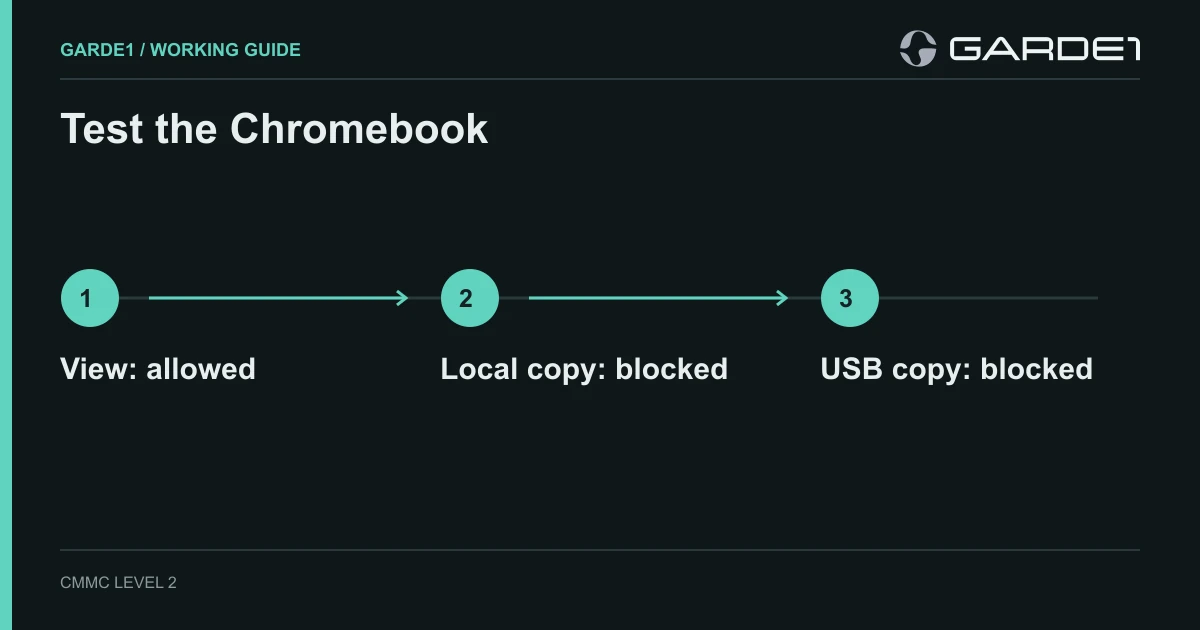
A design firm picked route one. The plan said engineers could view a controlled technical package in a Shared Drive, but not keep a local copy or put it on a USB stick. They made a harmless file with a marker in the name and tried it on a managed Chromebook:
| What they tried | What happened |
|---|---|
| Download to the Chromebook | Worked |
| Copy to a USB stick | Worked |
| Open it through the VDI | Displayed; nobody had tested copy-out yet |
Two of three leaks were wide open, on a device everyone assumed was safe because it's "just a browser." The settings existed. They'd been applied to a different org unit.
After the fix, they ran the same three tests, screenshotted each failure message, and filed the screenshots with the settings. That page of screenshots is worth more to an assessor than the policy that describes it. Google's guide has a separate appendix of Chromebook settings. Read it before you call the laptops done.
The rest of the boundary
Workspace covers the cloud. It doesn't cover the laptop, the office, or the people, and Google's guide says so in its responsibility matrix. It lists requirements that sit entirely outside Workspace, among them locking idle sessions (3.1.10), security training (3.2.1), media protection, and personnel screening. That means Macs and Windows laptops need their own device management and antivirus. Workspace identity settings won't manage FileVault or local admin accounts. Mac pairings that hold up
On route two, the laptop or Chromebook drops out of scope only if the virtual desktop client passes nothing but keyboard, video, and mouse. That's the rule in 32 CFR 170.19. Turn off clipboard, drive redirection, printing, and file transfer, and test each one. The virtual desktop itself stays in scope. 32 CFR 170.19 · The exact settings for personal devices
Every other tool that touches CUI needs its own FedRAMP Moderate basis: your backup service, email filter, antivirus console, help-desk tool. A Workspace backup vendor without one quietly puts your CUI in an unapproved cloud. What "equivalent" means
What you hand the assessor
A one-page decision sheet: the route, the edition, the add-on, the OU that holds CUI users and who's in it, the devices assigned to that OU, the transfer paths you blocked with the screenshots proving it, and the third-party apps you allowed and why. That page does more for you than a 60-page policy binder, and it takes an afternoon.
Garde1 records that same decision during onboarding, when it asks where CUI lives and who touches it. It connects to Google Workspace and pulls your users, devices, admin roles, OAuth app grants, and audit events, then writes the System Security Plan and policies from that one scope.
Common questions
Is Google Workspace FedRAMP High? Yes. Google says Workspace Enterprise obtained a FedRAMP High authorization in 2021, which clears the FedRAMP Moderate bar in DFARS 7012. Only the listed services are covered, so turn off the rest for CUI users.
Can I use Business Standard or Business Plus for CUI? No. Google's CMMC guide covers Enterprise Plus with Assured Controls Plus only, and Assured Controls can't be added to Business editions. Keep Business editions for users who never touch CUI, if your reseller confirms the mix.
Do I need Assured Controls Plus, or is Enterprise Plus enough? Buy the add-on. Google's CMMC guide assumes it, and Google's 72-hour incident notice under DFARS 7012 applies only to customers with Assured Controls properly configured.
Does Google's own CMMC certificate cover my company? No. Google Public Sector's November 2025 certificate covers Google's internal systems. You still need your own assessment of your own environment.
Can Workspace hold ITAR data? It can, with client-side encryption and US-only support access, but it takes more setup and an export lawyer's sign-off. If most of your work is export-controlled, Microsoft GCC High is the simpler path.
Do I have to move to Microsoft for CMMC? No. If you're weighing it anyway, Commercial vs. GCC vs. GCC High shows what each Microsoft option commits to, and the Microsoft 365 boundary walkthrough shows what the move would put in scope.